01
Chart of accounts import
CSV, Excel, PDF
Upload a CSV, Excel, PDF, or exported account list. Navor can map it against the target structure and show what needs review.
Ask Navor to understand unfamiliar software exports, inspect the accounting context, and prepare the first work for review.
The fiduciary stays in control. Navor gathers context and prepares actions, then asks before posting controlled changes.
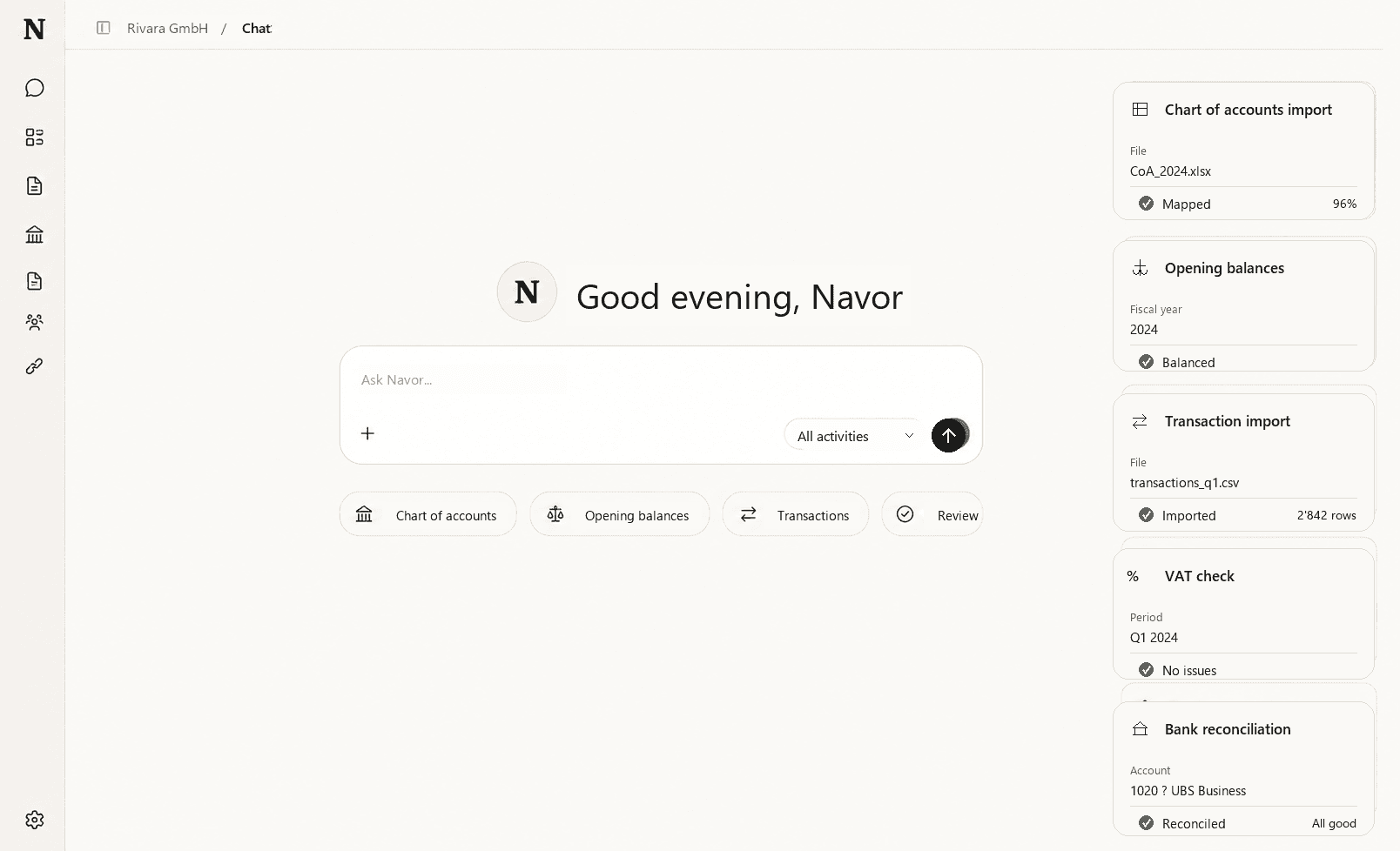
If you can describe it
Many accounting tools automate one step at a time: invoice extraction, rules, reminders, or reconciliation suggestions. The Navor Agent is different because the request can start from the accounting goal itself.
Instead of asking a junior colleague to click through old exports, documents, balances, and transactions, a fiduciary can describe the task and review what Navor prepares.
Client onboarding and import
CSV, Excel, PDF
Upload a CSV, Excel, PDF, or exported account list. Navor can map it against the target structure and show what needs review.
Excel opening sheet
Bring opening balances from a spreadsheet into the selected fiscal period.
Legacy export
Prepare transactions exported from another accounting system and let Navor map them into its accounting system.
Common use cases
A new mandate often starts inside unfamiliar software, exported spreadsheets, old account lists, and accounting habits that only the previous team knows. Ask Navor to inspect the workspace, open the data for a new customer, and explain what is missing before your team starts correcting entries.
Use one prompt to start work that normally lives across several menus: import a chart of accounts from CSV, Excel, or PDF, bring in opening balances from Excel, or prepare transactions from another accounting system for review.
Navor can search documents, transactions, reports, VAT settings, and prior bookings before proposing the next step. The output is not a final decision. It is a prepared correction, reconciliation, rule, or review card that a fiduciary can inspect.
Ask for unreconciled movements, missing documents, inconsistent account movements, VAT checks, or a comparison with last month. Navor gathers evidence that would normally take hours to find.
Product evidence
A fiduciary starts with a concrete question. Navor receives it, enters the review state, and prepares to inspect the accounting workspace behind the answer.
Navor safety
Accountants control how much autonomy the Navor Agent has. Reading context, searching for evidence, and explaining inconsistencies can happen freely inside the selected client workspace.
Changes to the accounting are different: the default is cautious, so Navor prepares the action and asks before posting anything to the ledger. Over time, firms can decide which repeated actions are safe enough to pre-approve and which ones should always require explicit review.
Questions
Most AI accounting tools automate isolated steps: invoice extraction, category suggestions, receipt reading, or reconciliation hints. The Navor Agent works at the company accounting level. It can inspect the available accounting data, prepare an action, check the result, and ask for approval before controlled changes are posted.
Fiduciaries who want to reduce the time spent on client onboarding, recurring review, reconciliations, VAT checks, and corrections without having to learn a new accounting software interface.
It means Navor can work toward an accounting goal, not only answer one question. For example, it can process uploaded documents, gather context, prepare an import or correction, reconcile movements, check for obvious issues, and return the result for review.
The Navor Agent asks for explicit approval before making controlled changes to the accounting. It works inside the visible client workspace and uses the same accounting objects the fiduciary can review: documents, bank movements, accounts, VAT settings, reports, and staged actions. Decisions about what gets posted, corrected, or accepted remain with the human professional.