
Cash - I buy
A business purchase paid in cash
Navor records money leaving the selected cash account and uses the document to determine the expense and VAT side of the entry.
Send receipts and accounting documents without leaving WhatsApp. Navor keeps the original and processes it according to the payment method you select. In the same conversation, you can create invoices, ask questions about your accounts, and receive reminders about your bookkeeping.
Navor
More than a document inbox
After you upload a file, Navor asks how the payment was made and follows the correct accounting path for the document. This small choice keeps cash purchases, cash sales, and digital payments correctly accounted for. (For digital payments, Navor identifies whether it is a purchase or a sale directly from the bank statement.)
If the company has more than one cash account, Navor asks which one to use before processing the document.
Navor records money leaving the selected cash account and uses the document to determine the expense and VAT side of the entry.
Navor records money entering the cash account and uses the document to complete the revenue and VAT side.
Navor keeps the document ready for matching with the corresponding bank-statement transaction, so the payment can be reconciled with its evidence.
One conversation, real accounting context
Customer context
Navor uses the customer details already stored in the platform, then asks you to confirm only the information that matters before generating the document, ready to send.
Accounting context
Questions about expenses, balances, or movements are answered from the company’s Navor accounting data, with a compact explanation you can inspect.
Missing evidence
Instead of a vague reminder, Navor points to the transaction that still needs a document and lets you send the evidence in the same chat.
Sales documents
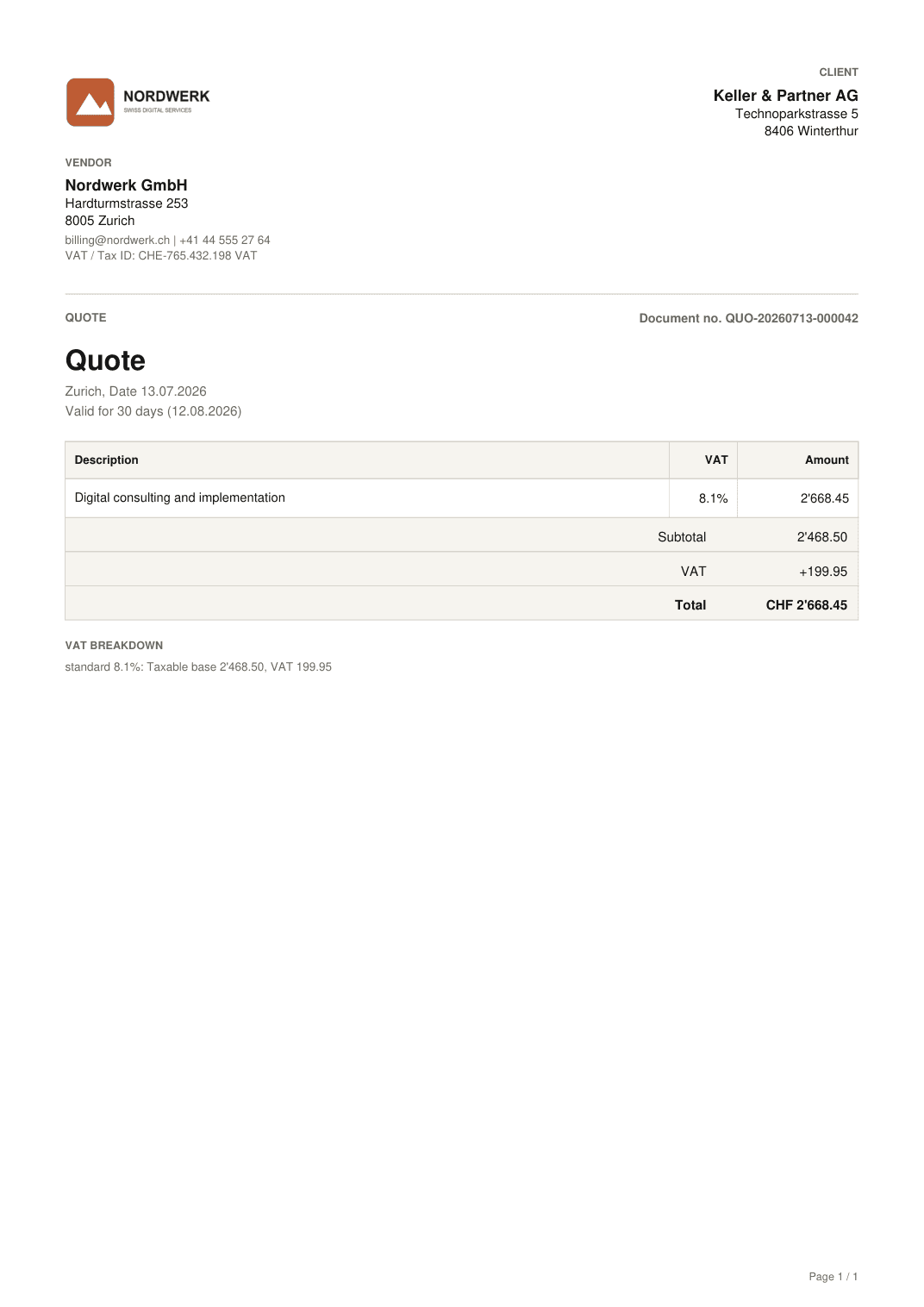
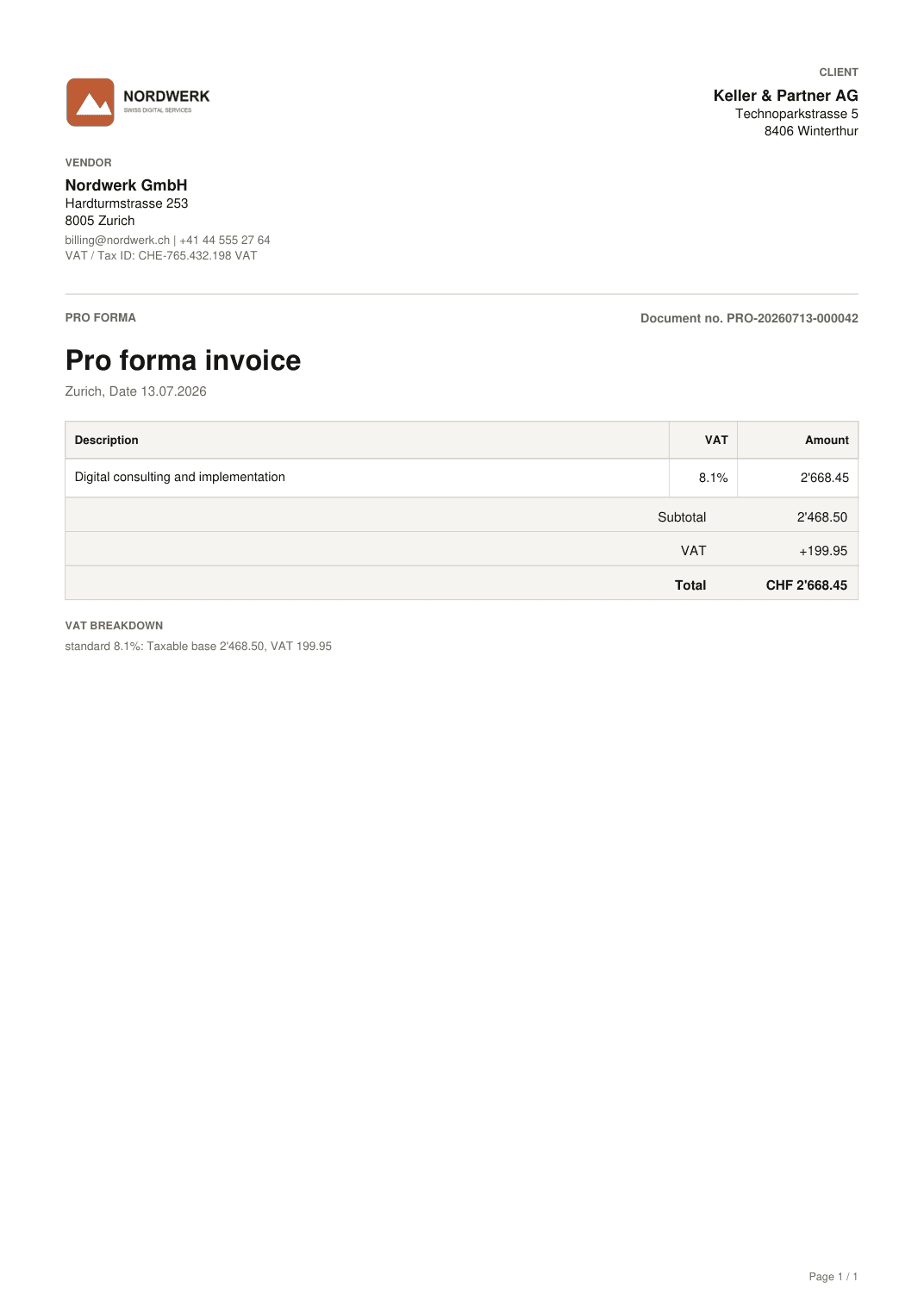
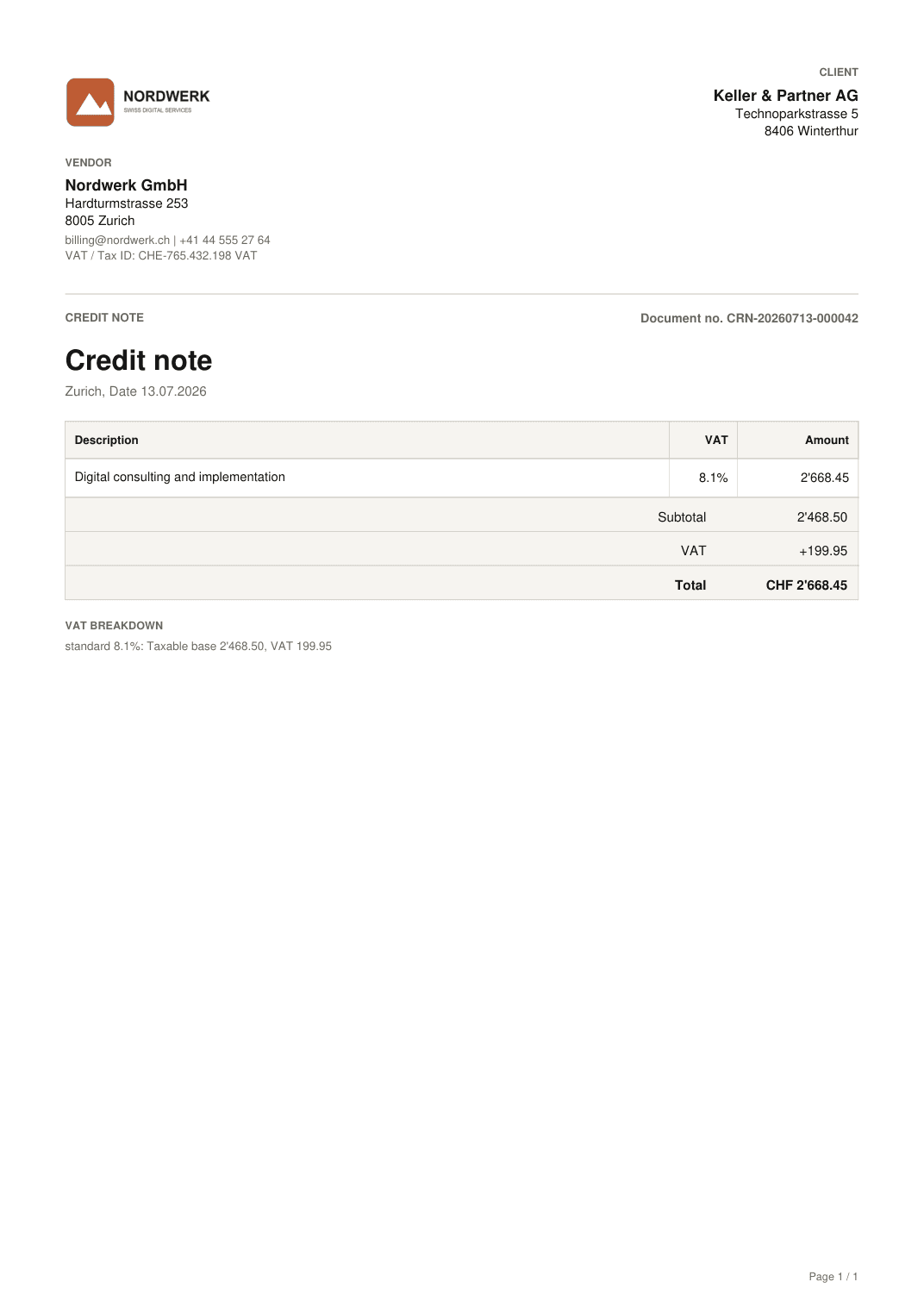
Write in Navor's WhatsApp chat which document you need, choose the customer, and add the details that change. Navor uses the company and customer information already saved in the platform and prepares the document, ready to send. Invoices, quotes, pro forma invoices, and credit notes use the same format as documents created in the Navor platform.
Your logo, company details, language, numbering, dates, visible columns, VAT, and payment terms follow the settings saved in Navor or the information provided in your first conversation. If a customer is not registered yet, Navor asks for the missing details and saves them for your next request. With a valid Swiss or Liechtenstein IBAN and compatible payment data, the invoice automatically includes the Swiss QR payment section. With another IBAN, Navor creates the invoice with the standard information needed for payment, without a QR code.
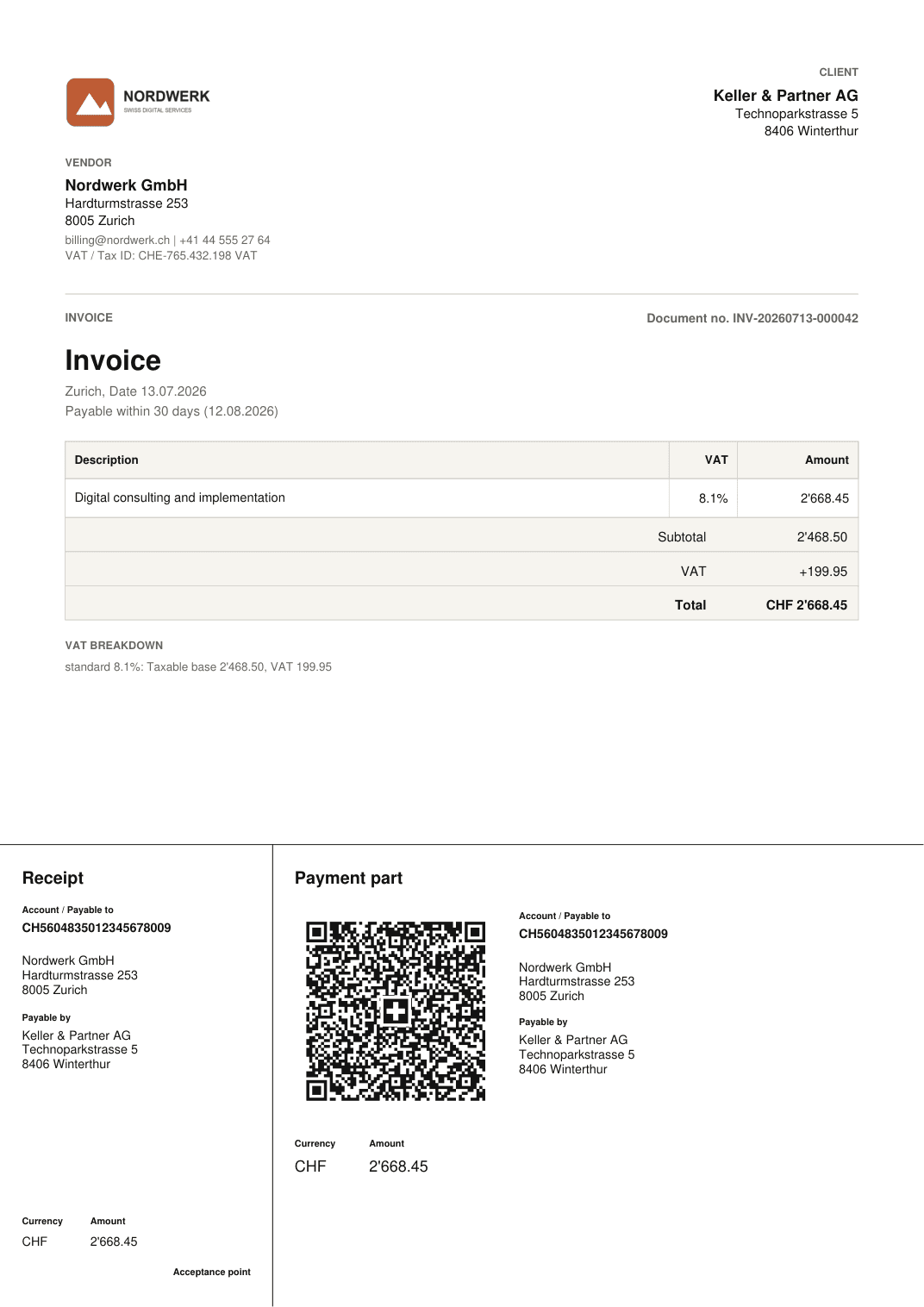
Examples rendered with Navor’s PDF generator · fictional data
Navor’s AI agent on WhatsApp
For entrepreneurs, WhatsApp can be all they need. The full Navor interface remains available at any time by signing in to the platform. WhatsApp is designed for quick tasks, even while you are on the move. With WhatsApp:
Questions
You can send receipts and accounting documents, generate invoices, quotes, pro forma invoices and credit notes, receive reminders, and ask questions about your bookkeeping. For example: what expenses did I incur over the last few months? What was my revenue in the first quarter of 2026? When is my next VAT return due? Which documents do I still need to provide to Navor? To answer, Navor uses the full context of your accounting data and previously uploaded documents.
Yes. Provide the customer, reason, and amount. Navor uses the data already stored in the platform and asks only for any missing information. With a compatible Swiss or Liechtenstein IBAN, the invoice automatically includes the Swiss QR payment section. With another IBAN, Navor generates an invoice with the standard payment details, without a QR code.
Navor validates the sender’s phone number before accepting company documents. The number must be linked to an authorised company owner in Navor.
Try Navor today, or talk to us about the WhatsApp workflows your business needs most.